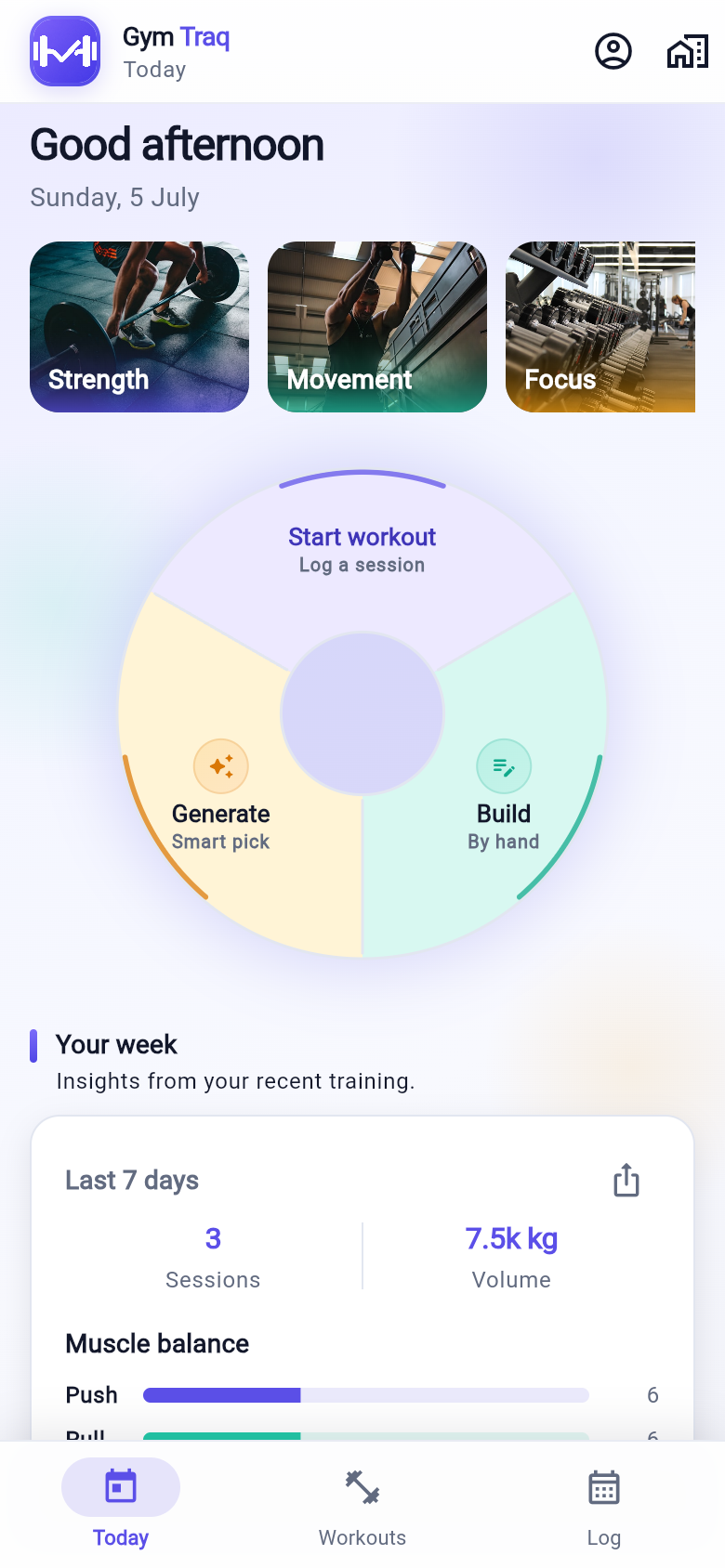
Today dashboard
Weekly volume, train-again suggestions, muscle balance radar, PR highlights, and a quick-action wheel to start, build, or generate a workout.
The gym app for people who track every set — presets, a history-aware smart generator, live logging, muscle body maps, training analytics, and GymTraq Pro companions on your wrist or home screen.
Every screenshot is from the real GymTraq app. Click a tab or thumbnail to browse screens.
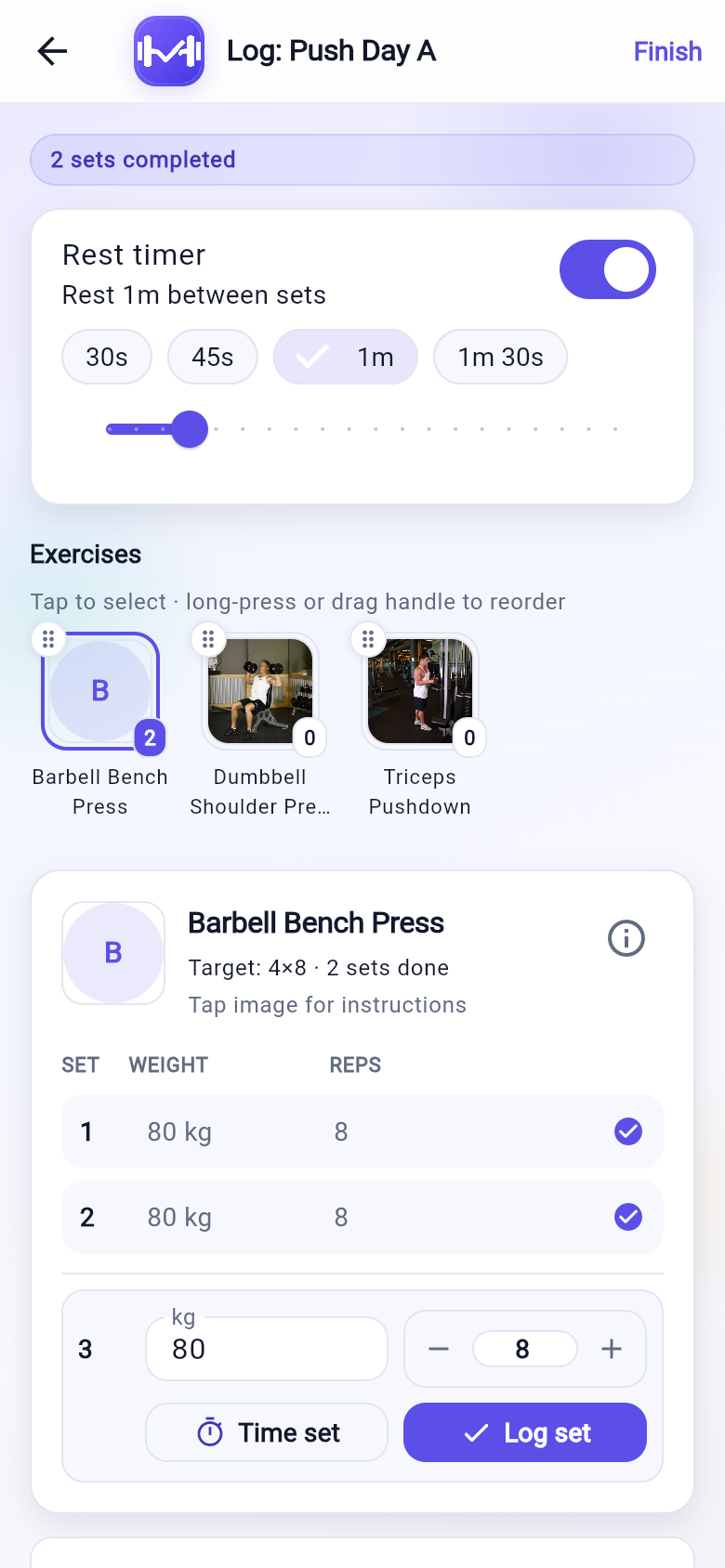
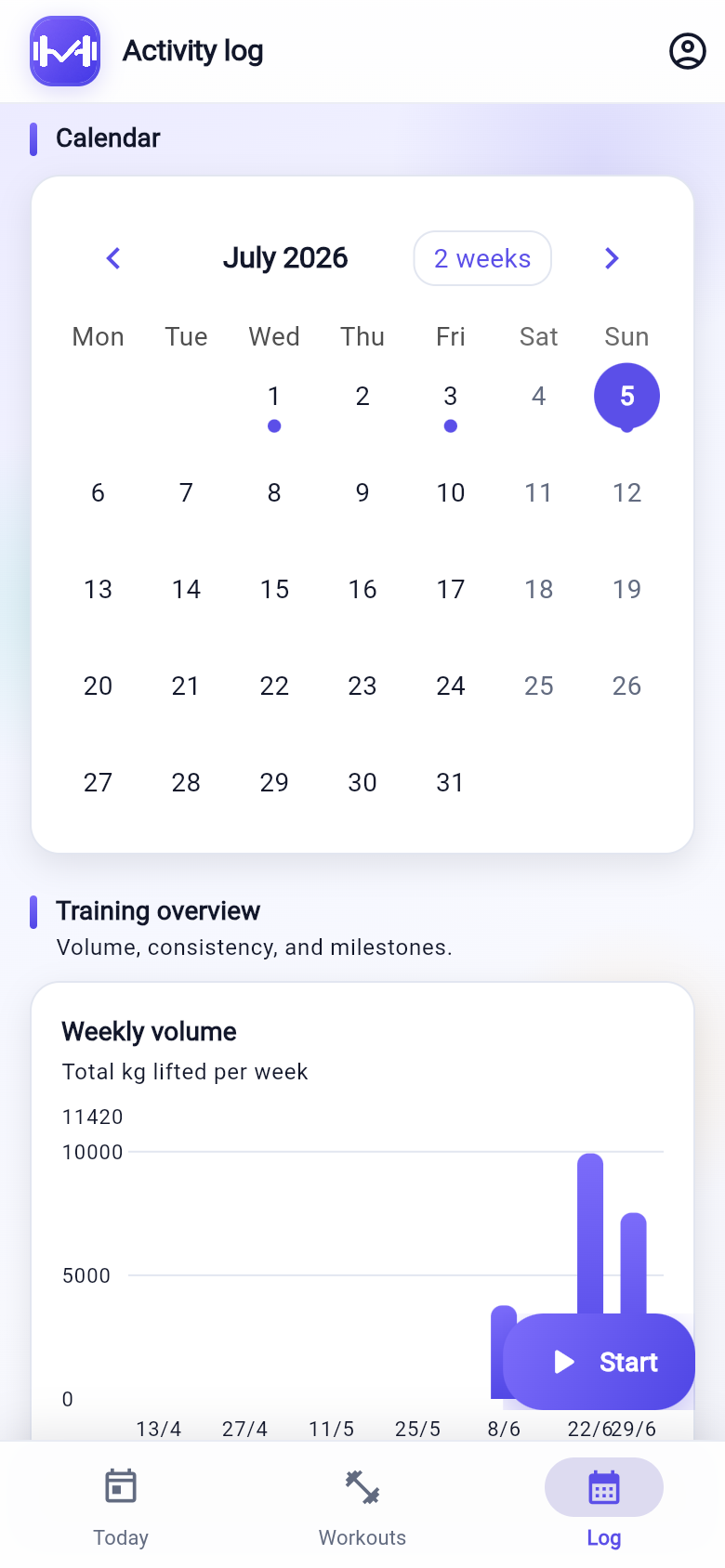
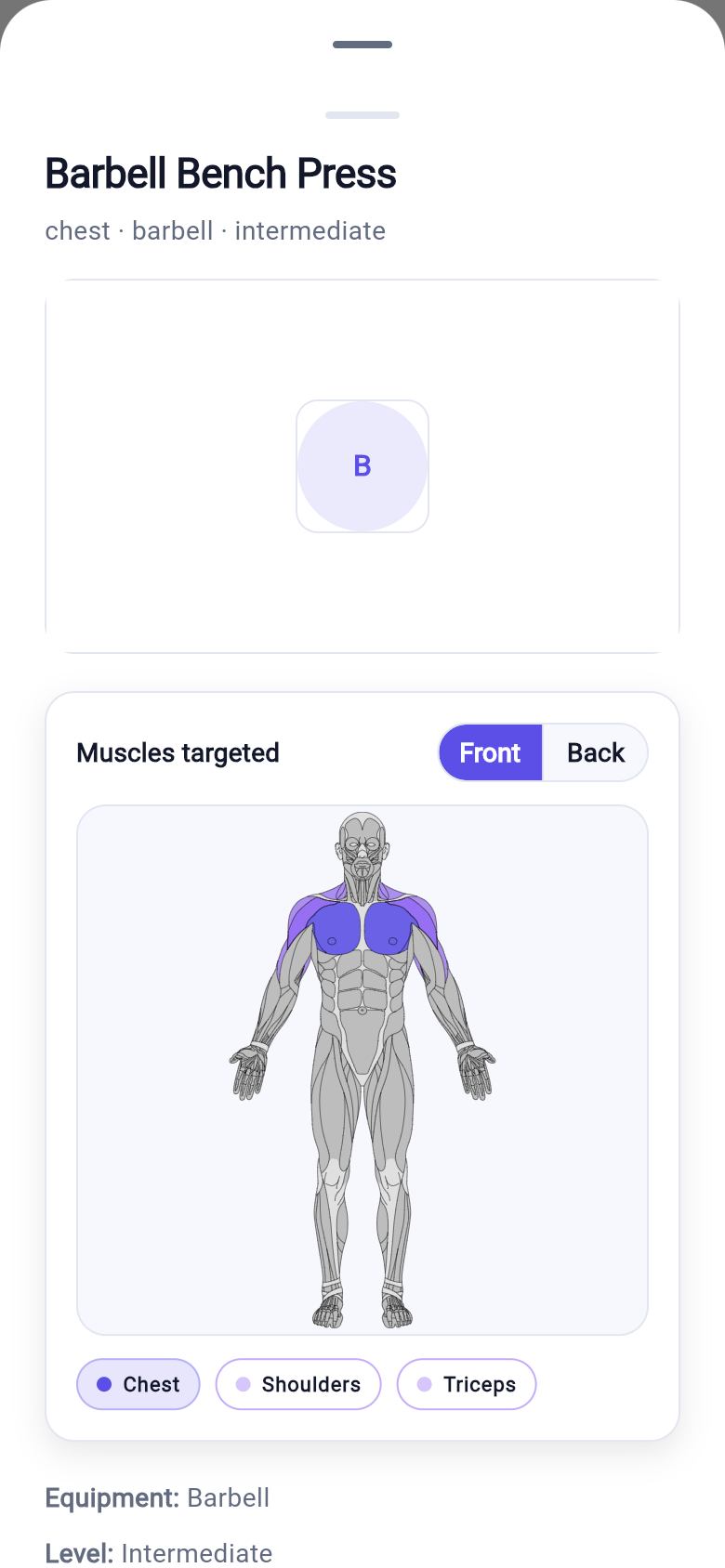
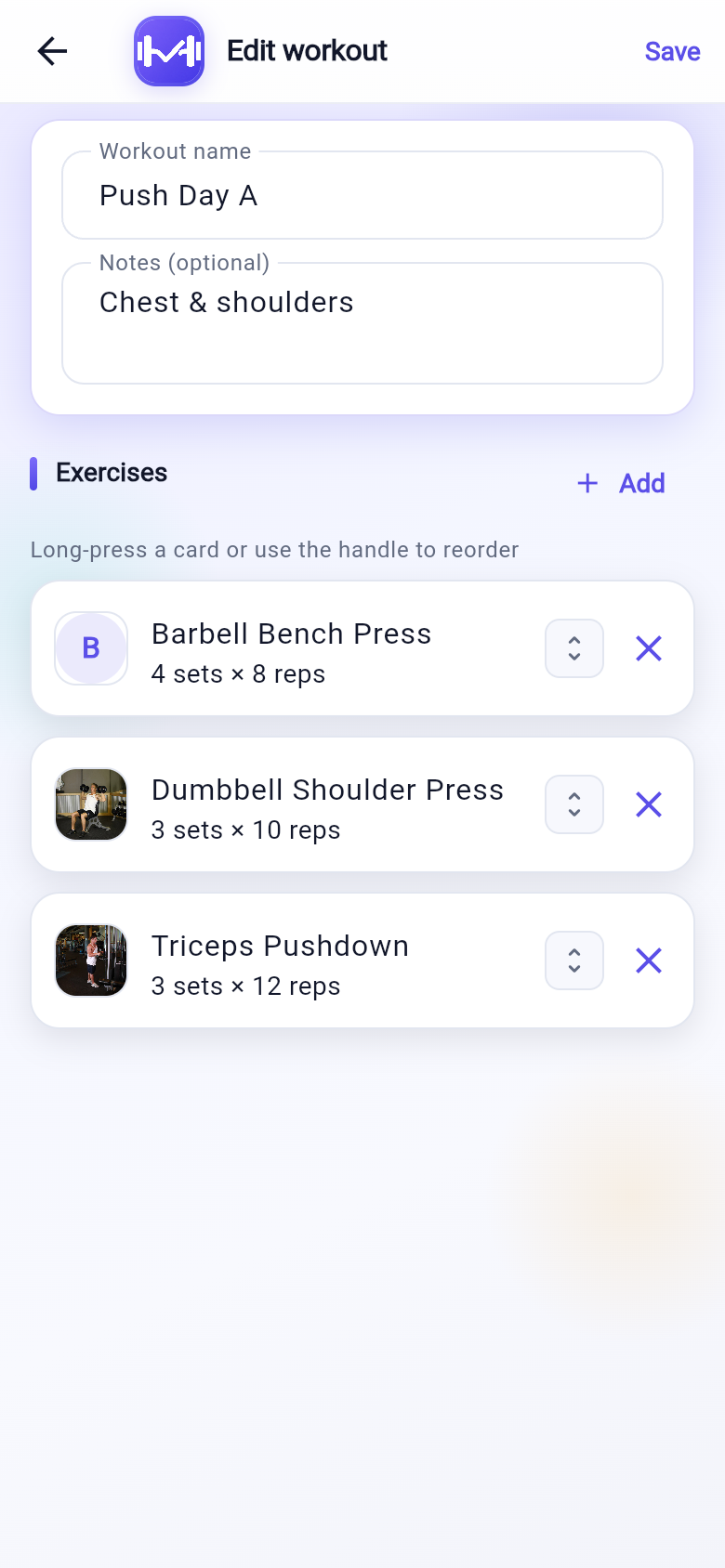
Weekly volume, train-again suggestions, muscle balance radar, PR highlights, and a quick-action wheel to start, build, or generate a workout.
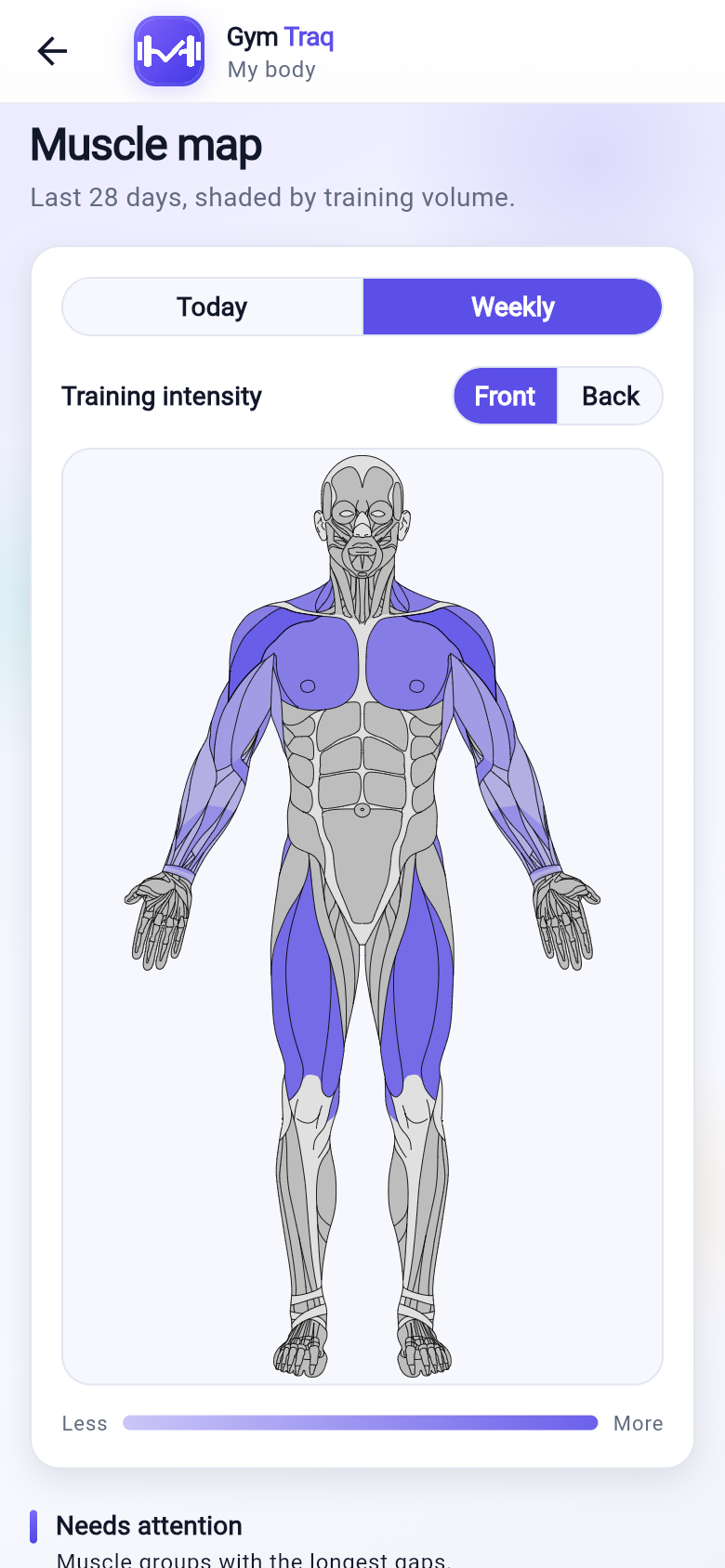
See which muscles you trained today or this week on an anatomical diagram — shaded by volume on Pro, with neglect callouts for gaps in your split.
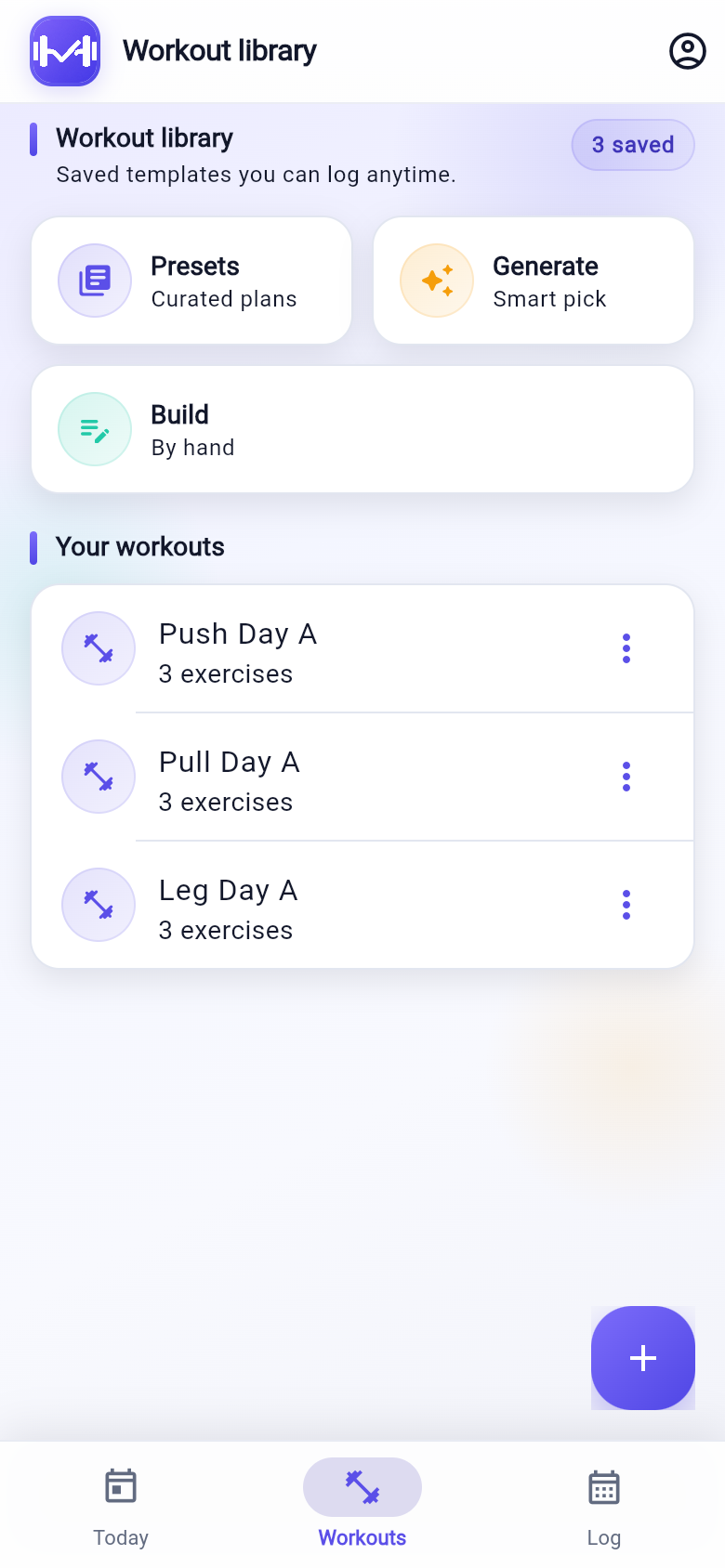
Save push/pull splits, reorder exercises, and reuse your own programs every week.
57 curated sessions for push, pull, legs, upper, lower, full body, and core — filtered by your equipment, focus, and time.
Build a balanced session from your goals and gym setup. Prefers exercises you have logged, rested muscle groups, and compound lifts first.
Weight, reps, timed sets, and a rest timer — log from your phone or GymTraq Pro companions.
Weekly volume charts, activity heatmap, push/pull/legs balance, PR timeline, and per-exercise weight, reps, volume, and estimated 1RM.
Every exercise shows primary and secondary muscles on an anatomical SVG — front or back, cropped to upper or lower body automatically.
GymTraq Pro home screen widget plus Wear OS and Apple Watch companions: rest timer, start/done sets, skip rest, and adjust weight and reps.
Offline by default. GymTraq Pro adds backup and sync when you want it.
The full logging experience stays free — including presets and the smart generator. GymTraq Pro is $4.99/month or $29.99/year after a 7-day store trial for export, richer insights, widgets, and backup across devices.
Free
$0
GymTraq Pro
7-day free trial
$4.99/mo
or $29.99/yr Save 50%
Available on the App Store
Download GymTraq for iPhone — pick a preset, generate a session, or build your own template.
Available now on the App Store. Android is coming soon. Start a 7-day GymTraq Pro trial in the app when you are ready.
Yes. Planning, logging, and progress charts all work offline. Your data lives on your device until you opt into GymTraq Pro sync.
GymTraq Pro adds CSV export, unlimited workout history in charts, PR highlights, muscle balance radar, daily body map with volume shading, training nudges, unlimited templates, a home screen widget and watch companions, and cloud backup across devices. After a 7-day store trial, it is $4.99/month or $29.99/year (save about 50% vs monthly).
Start with a 7-day free trial through the App Store or Google Play when you choose Monthly or Yearly. After that, GymTraq Pro is $4.99 per month or $29.99 per year. The yearly plan saves about 50% compared to paying monthly.
Yes — with GymTraq Pro and a live session open on your phone. Companions show the rest timer, current exercise, and let you start or finish sets, skip rest, and bump weight or reps without unlocking your phone.
Yes. Start an ad-hoc session from Today, pick a curated preset, generate a smart workout, or add exercises as you go and save when you finish.
GymTraq includes 57 ready-made sessions for push, pull, legs, upper, lower, full body, and core. Filter by equipment at your gym, training focus, duration, and level — then start logging immediately.
Pick your target muscles and equipment and GymTraq builds a balanced session using your training history — favoring exercises you have logged, muscles that need work, compound movements first, and variety across equipment. Tap regenerate for a fresh pick.
GymTraq is available now on the App Store for iPhone, iPad, and Apple Watch. Android and Wear OS are coming soon. GymTraq Pro adds a home screen widget, Apple Watch companions, rest-timer notifications, and subscriptions through the App Store.